Screenplay Structure & Format: Story Architecture
What makes a great screenwriting protagonist? Learn the essential elements of a main character that captivates audiences and drives the story. Read more.
Great screenplays are built long before the first line of dialogue is written. A script is an architectural blueprint designed for directors, actors, cinematographers, and script readers who evaluate hundreds of submissions each month. Writing a screenplay that commands attention requires mastering three interconnected disciplines: structural architecture, industry-standard formatting, and pre-writing organization.
Whether you are crafting an indie feature, a commercial blockbuster, or a one-hour TV pilot, understanding how story mechanics interact with formatting standards is what separates amateur drafts from optioned material.
The Anatomy of Screenplay Structure: From Three Acts to Modern Sequence Systems
Screenplay structure is the emotional and logical framework that organizes dramatic action into a compelling narrative arc. Standard feature screenplays run 90 to 120 pages, where one page equals roughly one minute of screen time. Structure uses narrative milestones—including inciting incidents, plot points, midpoints, and climaxes—to maintain tension and drive character transformation across three acts.
The Three-Act Foundation and Page Mathematics
The classic three-act structure remains the baseline grammar of cinema. It’s not a rigid formula invented by executives; it reflects how human beings process change and conflict.
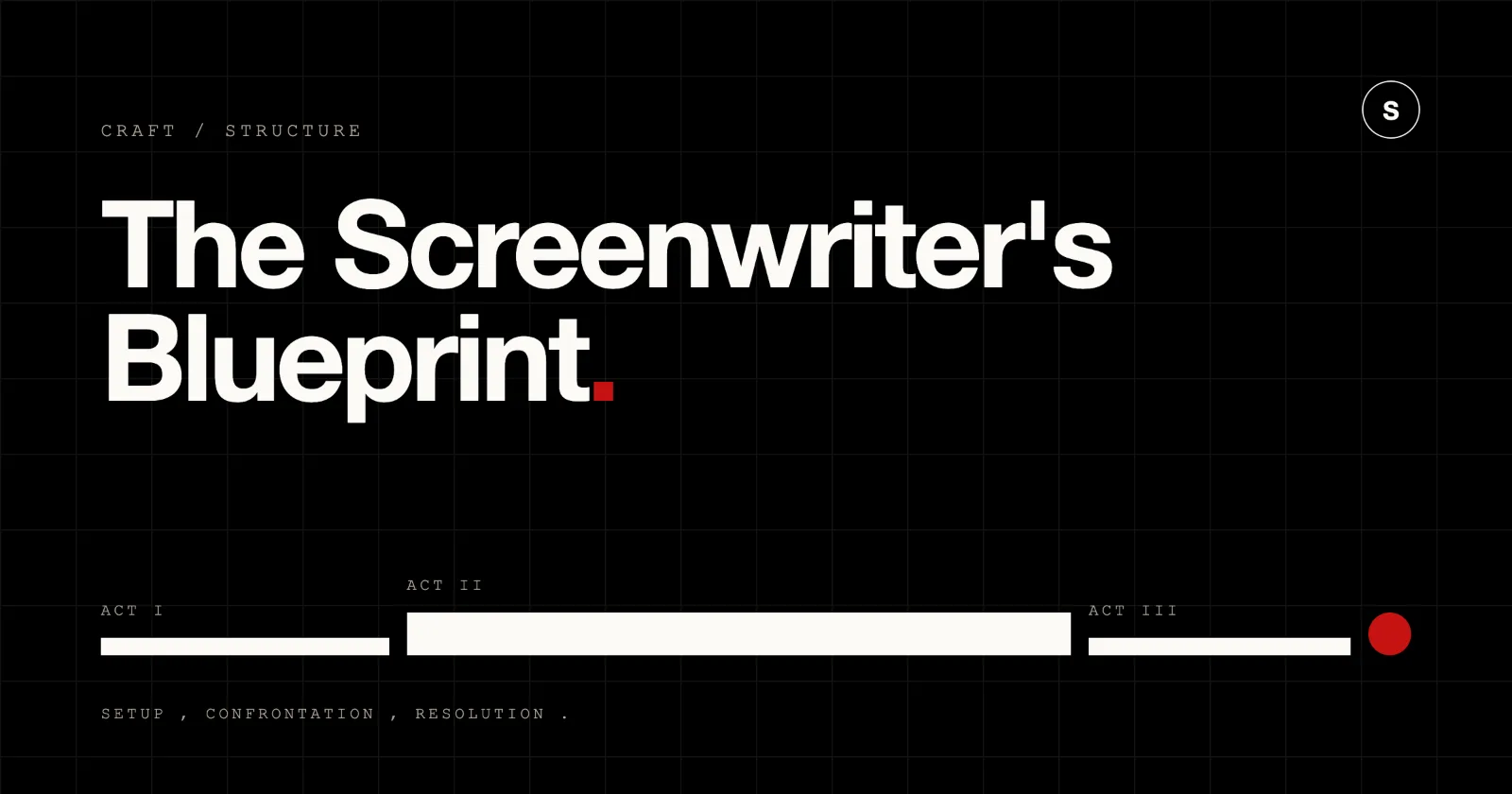
Act I: The Setup (Pages 1-25) The first act establishes the protagonist’s status quo, flaw, and ordinary world. By page 10 or 12, an inciting incident disrupts this equilibrium, presenting a problem or opportunity. The protagonist often resists this disruption until Plot Point 1 (pages 20-25) forces them to cross the threshold into an unfamiliar world or situation.
Act II: The Confrontation (Pages 25-85) Occupying the bulk of your script, Act II tests your protagonist through rising obstacles. Act IIA (Pages 25-55) shows the character trying old tactics in a new environment, leading to a temporary win or false defeat at the Midpoint (Pages 55-60). This turning point raises the stakes and shifts the story from passive reaction to active choice. Act IIB (Pages 60-85) ramps up pressure, culminating in Plot Point 2 / All Hope Is Lost (Pages 80-85), where the protagonist’s initial plan collapses entirely.
Act III: The Resolution (Pages 85-110+) The protagonist synthesizes what they have learned, confronts the antagonist or core conflict in the Climax (Pages 90-105), and settles into a new status quo during the Resolution (Pages 105-110).
The Eight-Sequence Method
Many professional screenwriters break down the three acts into eight 12-to-15-page sequences. Originating from silent film reels, this approach keeps long screenplays moving by giving each segment its own mini-inciting incident, climax, and resolution.
Sequence 1 (Status Quo & Inciting Incident): Introduces the protagonist, setting, and fundamental flaw. Ends with the inciting disruption.
Sequence 2 (Predicament & Lock-In): The protagonist attempts to resolve the disruption, failing or realizing there’s no going back. Ends at Plot Point 1.
Sequence 3 (First Obstacle & Rising Action): The initial foray into the new world. The protagonist experiences minor successes or failures.
Sequence 4 (Midpoint & High Stakes): The protagonist reaches a major turning point that transforms their internal or external goal.
Sequence 5 (Complications & Subplot Development): The antagonist strikes back. Subplots intensify, placing heavy pressure on character relationships.
Sequence 6 (The Dark Night & Major Reversal): Everything falls apart. The plan fails, secrets emerge, and the protagonist hits rock bottom (Plot Point 2).
Sequence 7 (The Final Push & Climax): The protagonist forms a final plan based on truth rather than delusion and executes the final confrontation.
Sequence 8 (Resolution & Aftermath): The dust settles. The world is fundamentally altered, establishing the character’s new reality.
Outlining with Beat Sheets and Structural Tools
Attempting to write a 110-page screenplay without an outline often leads to forgotten subplots and saggy second acts. Screenwriters rely on visual beat sheets to map out emotional beats, character arcs, and scene goals before drafting.
A beat sheet details scene intent, narrative function, character dynamics, and location shifts. Using a dedicated structural planning tool allows you to test dramatic changes, reorganize scenes across acts, and evaluate pacing before writing a single page especially when constructing the non-linear screenplay to keep broken timelines completely clear to the reader.
Sequence | Core Dramatic Event | Character Arc Shift |
Seq 1 (Pg 1-15) | Ordinary World & Call to Action | Reluctant, complacent |
Seq 2 (Pg 15-30) | Crossing Threshold / Point of No Return | Reactive, out of depth |
Seq 3 (Pg 30-45) | Tests, Allies, and Initial Plan | Searching for control |
Seq 4 (Pg 45-60) | False Victory / Midpoint Turn | Active, overconfident |
Seq 5 (Pg 60-75) | Stakes Escalate / Subplot Climax | Desperate, tested |
Seq 6 (Pg 75-90) | All Hope Lost / Dark Night | Broken, forced to grow |
Seq 7 (Pg 90-105) | Final Climax & Truth Embraced | Transformed, decisive |
Seq 8 (Pg 105-120) | New Status Quo | Integrated |
When evaluating story development platforms, writers should look for flexible corkboard views, color-coded character threads, and clean export options. Many screenwriters start with free or low-cost beat sheet tools to learn structural planning before investing in full-featured suites.
For collaborative writers or story editors, choosing a web-based platform prevents file corruption and conflicting versions. The best modern screenplay studios (as of 2026) offer browser-based access, allowing team members to adjust scene cards simultaneously during story room sessions.
When setting up your story beats, using a template based on Blake Snyder’s Save the Cat or the Hero’s Journey provides a clear visual structure. Selecting a flexible planning platform ensures your scene outlines sync directly into your script environment, saving hours of manual transfer when moving from treatment to page.
Industry-Standard Screenplay Formatting: Rules, Margins, and Mechanics
Screenplay formatting is a standardized typographic system designed to convert written prose into estimated screen duration. Using 12-point Courier font, specific margin offsets, sluglines, action text, and centered dialogue blocks, a properly formatted screenplay page approximates one minute of screen time while offering a clear blueprint for production departments.
The Core Elements of Screenwriting Grammar
Screenplay formatting is non-negotiable. Script readers at agencies and production houses review dozens of submissions weekly, and formatting errors signal an amateur draft immediately. Standard formatting relies on specific elements:
Scene Headings (Sluglines) Every scene begins with a slugline detailing location and time.
Format: [INT./EXT.] [LOCATION] - [TIME OF DAY]
Example: INT. COFFEE SHOP - DAY or EXT. HIGHWAY - CONTINUOUS
Action Lines Action lines describe what the audience sees and hears in real time. Write in the present tense, active voice, avoiding internal thoughts or unfilmable emotions.
Incorrect: “Sarah remembers her childhood home and feels sad.”
Correct: “Sarah traces her finger along the dusty banister. She stops at a small height mark carved into the wood.”
Character Names & Parentheticals Character names are centered in ALL CAPS above dialogue blocks. Indent character names 3.7 inches from the left margin. Parentheticals sit directly beneath the character name, indented 3.1 inches, providing brief performance cues or pacing notes. Use parentheticals sparingly to avoid cluttering the script.
Dialogue Dialogue blocks are centered, indented 2.5 inches from the left margin. Dialogue should sound natural while serving a specific narrative purpose: revealing character, escalating conflict, or advancing plot.
Transitions CUT TO:, FADE OUT., and DISSOLVE TO: are aligned to the right margin. Modern screenplays use transitions rarely, reserving them for major temporal shifts or hard cuts meant for comic or dramatic effect.
Typography, Margins, and Visual Whitespace
The industry standard font is Courier 12-point (or equivalents like Courier Final Draft or Courier Prime). Courier is a monospaced font, meaning every character occupies the exact same horizontal space. This uniformity ensures page counts correlate directly to running time.
Top Margin: 1 inch
Bottom Margin: 1 inch
Left Margin: 1.5 inches (allows space for physical binding or digital margins)
Right Margin: 1 inch
Visual whitespace is vital for readable scripts. Long blocks of action prose slow down reading speed. Professional screenwriters break action lines into bite-sized blocks of two to three lines, creating a punchy visual rhythm that propels readers down the page.
Formatting Automation and Verification Tools
Manual formatting using word processors requires constantly adjusting tab stops, which frequently breaks during revision. Modern writers rely on dedicated script formatting applications to automate line spacing, character indents, parenthetical placement, and page breaks.
Element | Left Indent | Right Indent | Alignment / Case |
Scene Heading | 1.5 inches | 1.0 inch | Left / UPPERCASE |
Action Text | 1.5 inches | 1.0 inch | Left / Sentence case |
Character Name | 3.7 inches | Open | Centered / UPPERCASE |
Parenthetical | 3.1 inches | 2.9 inches | Left / Lowercase |
Dialogue Block | 2.5 inches | 2.5 inches | Left / Sentence case |
Transition | Right-aligned | 1.0 inch | Right / UPPERCASE |
Starting with a free or affordable formatting tool lets you learn proper pagination without purchasing expensive licenses. Using reliable professional applications ensures your script exports cleanly to PDF without unexpected formatting glitches, orphan sluglines, or broken dialogue blocks across pages.
For writers navigating their first draft, consulting a comprehensive formatting guide clarifies edge cases like dual dialogue, voiceovers (V.O.), off-screen speech (O.S.), and montage sequences. Utilizing industry-standard templates gives you confidence that your script meets professional agency criteria.
Running your completed draft through a formatting verification utility flags missing character names, accidental double spaces, and orphaned scene headings before you submit to competitions or coverage services.
Screenplay Architecture for Television: Network vs. Streaming Pilots
TV script structure uses act breaks designed to maintain tension around commercial breaks or binge-watching habits. Network television pilots follow four-act, five-act, or six-act structures across 42 to 58 pages, whereas streaming pilots adopt flexible two-act or three-act structures that emphasize character momentum and serialized narrative hooks.
Structuring Network Pilots: Acts, Teasers, and Commercial Outlets
Network television scripts are built around rigid broadcast time slots and commercial interruptions. A standard one-hour network script runs 50 to 60 pages and is divided into distinct acts separated by major dramatic turns.
Teaser (3-5 Pages): Establishes the central premise, introduces the protagonist or crime scene, and delivers an immediate hook before the opening credits.
Act I (Pages 5-15): Sets up the episode’s central problem (the “A-story”) alongside character subplots (“B-story” and “C-story”). Ends on a significant conflict spike.
Act II & III (Pages 15-35): The investigation or conflict deepens. Complications mount, forcing characters into uncomfortable alliances or tactical mistakes.
Act IV (Pages 35-48): The false climax or major reversal. Secret motives surface, and the central plan falls apart.
Act V / Tag (Pages 48-58): The final resolution of the episodic case, ending with a serialized character cliffhanger that encourages viewers to tune in next week.
Half-hour network sitcoms follow a compressed two-act structure (or three-act structure with a cold open and tag), running 22 to 35 pages depending on multi-camera versus single-camera formats.
Structuring Streaming Pilots: Cinematic Pacing and Serialized Hooks
Streaming services like Netflix, Apple TV+, and HBO Max operate without commercial breaks, giving writers greater structural freedom. Streaming pilots often feel like mini-features, focusing heavily on atmospheric worldbuilding, complex character dynamics, and serialized momentum.
Flexible Act Lengths: Streaming scripts often mirror traditional feature three-act structures, running anywhere from 45 to 65 pages.
Focus on Scene Depth: Scenes run longer, allowing characters space to converse, build tension, and explore subtext without rushing to hit a commercial break every 10 pages.
The Cliffhanger Engine: Instead of act-break drops, streaming pilots focus on a powerful episode ending that pushes viewers directly into episode two.
TV Formatting and Platform Templates
TV scripts use specific structural formatting markers, including centered act headers (e.g., ACT ONE, END OF ACT ONE) and explicit page counts designed for television directors and script supervisors.
Metric | Network Pilot | Streaming Pilot |
Page Count | 50-58 pages | 45-65 pages |
Act Count | Teaser + 4 to 6 Acts | 3 Acts or Actless |
Act Breaks | Explicit centered markers | Optional or feature-style |
Pacing Focus | High-density plot turns | Character, tone, atmospheric |
Episode Arc | Episodic + Serialized B-plot | Heavily Serialized |
Using dedicated television scripting tools automates act breaks, manages episodic character counts, and handles production revisions smoothly. Choosing a robust platform ensures your pilot file stays formatted accurately whether you’re targeting network executives or streaming showrunners.
If you’re exploring pilot writing, testing a free option helps you experiment with television layouts before investing in specialized industry suites. Using a pre-built template sets up appropriate margins, act-break headers, and character tracking lists automatically.
Professional TV utilities allow you to manage color-coded script revisions (White, Blue, Pink, Yellow) when your pilot moves toward pre-production. Understanding the formatting settings prevents accidental page drifts when switching between half-hour comedy layouts and full-length drama formats.
Investing in comprehensive screenwriting software helps writers manage show bibles, episodic breakdowns, and season arcs alongside individual pilot drafts.
Pre-Writing and Structural Roadmaps: Moving From Treatment to First Draft
Pre-writing is the analytical process of developing characters, worldbuilding, and narrative beats prior to writing formal script pages. Creating treatments, character bibles, and scene outlines reduces script revision cycles, ensuring that story logic, character motivations, and thematic arcs are clear before page one.
Developing Character Bibles and Treatments
Before opening a script document, professional screenwriters spend weeks building pre-writing assets. These foundational documents clarify story mechanics and prevent writer’s block during drafting.
The Logline A single-sentence summary of your film or TV show. It must include the protagonist, the inciting incident, the primary goal, and the central obstacle or antagonist. Example: “When a cynical marine biologist discovers a prehistoric predator off a populated resort coast, she must team up with a disgraced local constable to hunt the creature before the holiday rush.”
Character Bibles Detailed profiles outlining every major character’s internal flaw, external goal, backstory, personal relationships, and speaking cadence. A strong character bible ensures every character speaks with an authentic, distinct voice.
The Treatment (5-15 Pages) A prose summary of the screenplay written in active, present-tense language. Treatments summarize the entire story from start to finish, highlighting core dramatic moments, major reveals, and emotional turns without dialogue blocks.
Organizing Complex Projects Beyond Linear Word Processors
Writing a feature script or TV series requires tracking dozens of character arcs, world details, and structural notes. Standard word processors are linear, making it tedious to jump between act summaries, character bibles, and individual scene drafts.
For years, screenwriters relied on complex organizational programs to manage research, character notes, and scene cards. Many modern writers seek alternatives to traditional outlining software—platforms that offer visual corkboards, scene tagging, and script formatting within a streamlined interface.
Document Type | Typical Length | Primary Goal |
Logline | 1-2 Sentences | Pitching and thematic core focus |
Character Bible | 5-10 Pages | Motivations, flaws, and voice guide |
Treatment | 5-15 Pages | Full prose story roadmap |
Step Outline | 20-40 Bullet Points | Scene-by-scene narrative flow |
Feature Script | 90-120 Pages | Production blueprint |
When evaluating planning platforms, screenwriters look for environments that blend creative brainstorming with precise pagination. A balanced approach allows you to manage pre-writing research without getting bogged down in overly complicated folder structures.
If you’re working on a budget, many affordable options provide essential drag-and-drop scene management without recurring software fees. Selecting a modern development environment means choosing a clean workspace where your outlines, beat cards, and screenplay drafts sit side by side.
Adopting a tailored setup keeps your research, character arcs, and scene outlines linked directly to your active draft, turning your pre-writing roadmap into screen-ready pages.
Web-Based Writing, Cloud Workflows, and Real-Time Collaboration
Cloud-based screenwriting platforms enable real-time collaboration, instant cloud synchronization, and universal access across operating systems. Web-native tools remove local file management issues, ensuring that co-writers, script coordinators, and directors work within a unified, version-controlled screenplay document from any device.
The Transition to Cloud-Based Screenwriting
Screenwriting has evolved past saving isolated file versions on local hard drives. Emailing back-and-forth files titled Script_Final_v2_edit.fdx inevitably creates overwritten scenes, lost lines, and version confusion.
Modern writing teams rely on web-based studios that save every keystroke to secure cloud servers. Writing directly in the browser ensures your script is instantly accessible whether you’re working on a desktop at home, a laptop in a coffee shop, or a tablet on set.
Real-Time Collaboration for Writers and Story Rooms
Co-writing partnerships and TV writer’s rooms require simultaneous document editing. Real-time collaboration allows multiple writers to work on the same script at the same time:
Live Cursor Tracking: See where your writing partner is editing scenes in real time.
Inline Comments & Notes: Leave structural feedback, dialogue suggestions, or production notes directly on scene margins without changing the script layout.
Version Control and History: Review every edit made to the document, restore previous scene drafts, and audit who wrote specific lines during story sessions.
Modern Browser Access and File Portability
Choosing web-based writing tools that run entirely in the browser gives writers access to professional script formatting without downloading heavy software packages or managing license keys.
Feature | Legacy Desktop Software | Modern Web Writing Studio |
File Storage | Local Drive (.fdx, .elt) | Encrypted Cloud Storage |
Collaboration | File Exchange / Email | Real-Time Simultaneous Sync |
Platform Access | OS-Specific Installs | Cross-Platform Browser Access |
Version History | Manual Duplicate Saves | Automatic Keystroke History |
Export Formats | PDF, FDX, Text | PDF, FDX, Fountain, JSON |
Switching to cloud-based solutions means continuous automatic backups protect your work against hardware failures. Writing online ensures your outlines, character notes, and script drafts stay synced seamlessly across every device you use.
Finding an intuitive modern platform allows screenwriters to skip expensive desktop software while enjoying production-grade formatting and export capabilities. Contemporary collaborative tools allow remote writing teams to map out scenes on virtual beat boards and draft dialogue simultaneously without file lockouts.
While offline writing software can work for disconnected sessions, web-native options offer superior cross-platform backup and accessibility. Choosing platforms with professional export capabilities ensures your PDF outputs remain clean and ready for submission to studios and festivals.
When working with remote partners, using collaborative platforms that support real-time editing eliminates the hassle of tracking changes across separate file versions. These tools give indie filmmakers access to professional industry standards without upfront software costs.
Comparing Screenwriting Software for Working Writers in 2026
Choosing screenwriting software requires balancing formatting fidelity, structural planning tools, real-time collaboration features, pricing models, and cross-platform performance. Modern writers select platforms that support their full creative lifecycle, from early beat sheets and character bibles to production revisions and file exports.
Critical Features to Evaluate
When choosing your primary screenwriting platform, evaluate these key capabilities:
Formatting Precision: Automatic pagination, slugline auto-completion, character indents, and clean PDF exports that adhere strictly to studio layout requirements.
Structural & Outlining Tools: Integrated corkboards, beat sheet interfaces, scene index cards, and story arc visualization tools that link directly to your script pages.
Collaboration & Cloud Backup: Real-time multi-user editing, line comments, automated document versioning, and secure cloud synchronization.
Export & Industry Compatibility: Seamless import and export capabilities for standard industry formats, including .fdx (Final Draft), .pdf, .fountain, and plain text.
Cross-Platform Access: Smooth operation across Mac, Windows, Linux, iOS, Android, and web browsers without feature loss or performance degradation.
Comprehensive Feature Comparison
Evaluating modern screenwriting options depends on your workflow requirements, budget, and collaborative needs. The best platforms get out of your way, letting you focus on character voice, dramatic pacing, and scene execution.
Software Studio | Ecosystem / OS | Best Used For | Core Strength | Pricing Model |
Skrib | Web / Cross-Platform | Outlining, Drafting, Verification | All-in-One Studio, Board & Companion | Subscription / Free Tier |
Final Draft 13 | Mac / Windows | Studio Production | Legacy Industry Format Standard | Paid Perpetual / Upgrade |
Highland 2 | Mac Only | Minimalist Drafts | Clean Plaintext Fountain Engine | One-Time Purchase / Free |
WriterDuet | Web / Mobile | Real-Time Co-Writing | Deep Live Editing System | Subscription / Free Tier |
Fade In | Mac / Windows / Linux | Budget Desktop | Lightweight Fast Engine | One-Time Purchase |
Having the right tools can mean the difference between a forgotten draft and a polished script ready for production. The best modern platforms blend visual story organization with lightning-fast screenplay formatting.
For Apple desktop users, finding native Mac software means looking for responsive performance, clean typography, and intuitive keyboard navigation. Reviewing detailed platform comparisons helps you evaluate whether legacy perpetual software or modern web studios suit your daily writing routine.
When selecting paid options, look for platforms that offer continuous feature updates, responsive cloud synchronization, and strong data security. Choosing affordable platforms helps early-career screenwriters access industry-standard formatting tools without steep upfront software costs.
Finding budget-conscious options allows indie directors and student filmmakers to craft polished production drafts on a tight budget. Investing in platforms with built-in templates speeds up script setup for feature films, TV pilots, stage plays, and audio dramas.
Testing free trials lets you try a platform’s beat board features, dialogue formatting, and export workflows before committing to a paid plan.
Modernizing Your Studio Workflow with Skrib
Screenwriting has changed, but most screenwriting tools haven’t. For decades, writers have been forced to juggle fragmented tools: one program for beat sheets, another linear app for research notes, an overpriced desktop application for script drafting, and email chains for co-writer coordination.
Skrib was built to replace that fragmented workflow with a unified workspace designed for modern screenwriters.
Capability | Legacy Desktop | Plaintext Apps | Modern Studio (Skrib) |
Outlining Board | Basic / Rigid | None / Manual | Visual Interactive |
Formatting Engine | Native | Fountain Parser | Native Automated |
Live Co-Writing | Limited / Add-on | No | Native Real-Time |
Human Verification | None | None | Built-in Audit Score |
Price Accessibility | High Initial Cost | Low / One-Time | Flexible / Accessible |
Three Surfaces, One Workspace
Skrib brings your entire writing process into three connected surfaces that sit right next to each other:
Draft: A distraction-free screenplay writing engine with automated industry-standard pagination, margins, character indents, and slugline auto-completion. Export directly to PDF or FDX with zero formatting errors.
Board: A visual canvas for your beat sheets, scene cards, sequence maps, and character arcs. Drag scene cards to restructure your story, and watch your changes reflect cleanly in your outline.
Library: Your secure cloud vault for character bibles, research materials, treatments, and draft revisions. Everything you write stays organized, backed up, and accessible from any browser.
Companion: Your Writing Sparring Partner
Skrib includes Companion, a contextual writing assistant designed to help you solve story problems without writing the pages for you. Stuck on an Act II sequence? Companion knows your board, your character profiles, and your draft history. It offers targeted feedback on dramatic pacing, flags plot logic holes, and helps you brainstorm character choices while keeping your unique writer’s voice front and center.
Audit: Proving Human Craft
In an era of generic AI-generated prose, proving authentic human authorship is increasingly vital for screenwriters, agencies, and production studios. Skrib’s built-in Audit system monitors keystroke cadence, revision patterns, and editing rhythms as you write. Audit produces an unforgeable certificate of human authorship, giving you proof that every scene, dialogue exchange, and dramatic turn was crafted by you.
Whether you’re mapping out your first beat sheet, polishing a streaming pilot, or collaborating on a feature screenplay with a remote co-writer, Skrib gives you the professional workspace your story deserves.
Ready to build your next screenplay on a modern foundation? Try Skrib today and experience a workspace built by writers, for writers.
Frequently Asked Questions (FAQs)
What is the best screenplay outlining tool for structuring a script?
The best screenplay planning platform combines flexible visual beat boards with seamless script integration. Writers often rely on tools built around proven frameworks like Blake Snyder’s Save the Cat! or the 8-Sequence Method. Many now choose modern all-in-one studios like Skrib, which let co-writers drag scene cards on a visual board while updating script outlines in real time—all without email handoffs or fragmented files.
How do I choose the right screenplay formatting platform for industry-standard scripts?
When selecting screenplay formatting software, prioritize automatic pagination, precise margin indents, and clean PDF exports that adhere strictly to studio coverage guidelines. Beginners can start with free or low-cost options or consult comprehensive guides to master dual dialogue, sluglines, and parentheticals. Running your draft through a formatting verification tool ensures your script avoids orphaned scene headings and meets agency submission requirements.
What is the best TV script writing platform for network and streaming pilots?
The best television scripting platforms automate centered act headers (such as ACT ONE and END OF ACT ONE) and manage production revision colors smoothly. If you’re experimenting with pilot formats, trying free plans or using pre-configured templates ensures your margins adjust automatically whether you’re formatting a 30-minute sitcom or a 60-minute streaming pilot.
What alternatives exist to Scrivener for screenwriters who need visual outlining?
While traditional folder-based organization suits novelists, screenwriters often need dedicated visual planning—platforms offering drag-and-drop corkboards, character profiles, and active script drafting side by side in one interface. The best options integrate scene mapping directly with your screenplay, keeping treatments and beat cards linked to your draft without cluttering your workspace with separate project folders.
Can I write a screenplay online with real-time co-writing features?
Yes. Modern web platforms allow you to develop scripts collaboratively without downloading heavy desktop installers or emailing back-and-forth files. Browser-native tools let remote story rooms edit scenes simultaneously with live cursor tracking, inline commenting, and automatic cloud backups. Many offer professional-grade formatting and watermark-free exports without upfront licensing fees.